 vs

Cruma vs Slack
The short answer
Slack is where many teams already talk, and it now brings AI agents into that conversation: Slackbot, “your AI teammate for the whole team in Slack,” and partner agents you tag in a channel. Cruma is one workspace where your team and AI agents take on the same job: you ask in a chat, Cruma splits the work across the crew, everyone works where you can see it, and you always have the final say. The two work together: mention Cruma in Slack, and the full work is waiting in Cruma.
Facts checked 5 Oct 2026
Cruma vs Slack
At a glance.
How Slackbot and agents in Slack and Cruma compare: how work is split, working in the open, your own agents, memory, what needs your OK, and who each is for.
| Topic | Slackbot and agents in Slack | Cruma |
|---|---|---|
| How work is split | You tag Slackbot, or a partner agent, where you need it. For code, mentioning an agent on real work spins up a code channel “around that specific task, visible to the whole team.” 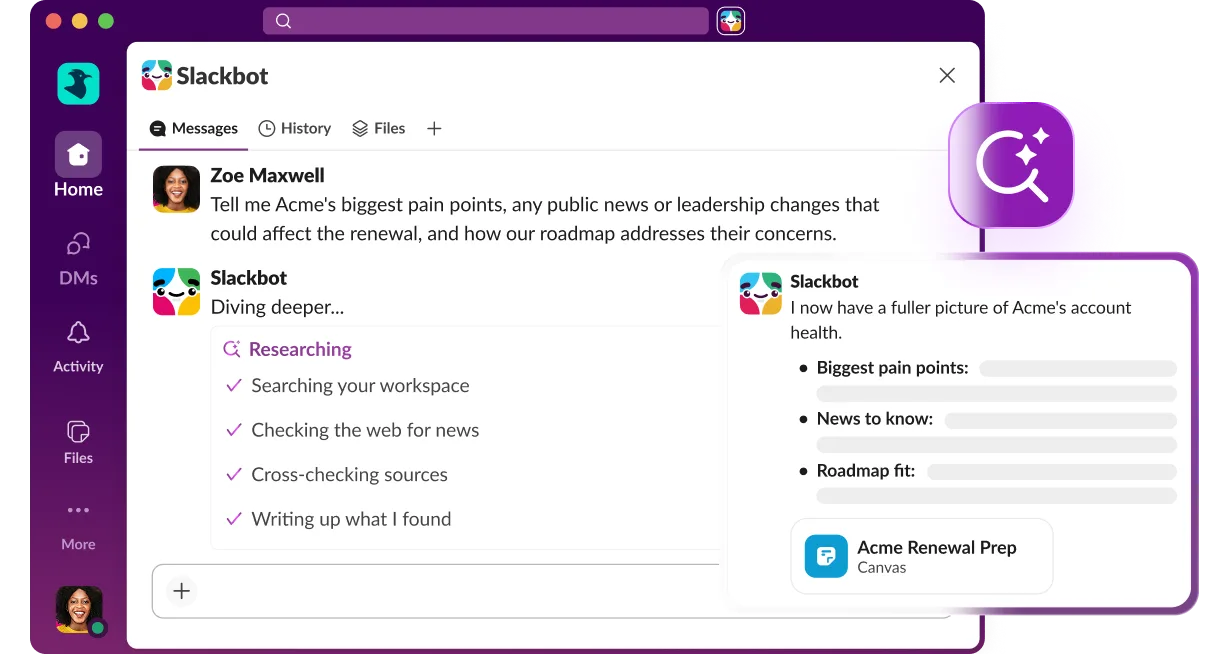 | You ask in a chat. Cruma splits the work across the crew: it picks the right people and agents for each job, and each one builds on what the others already found, so nothing gets explained twice. 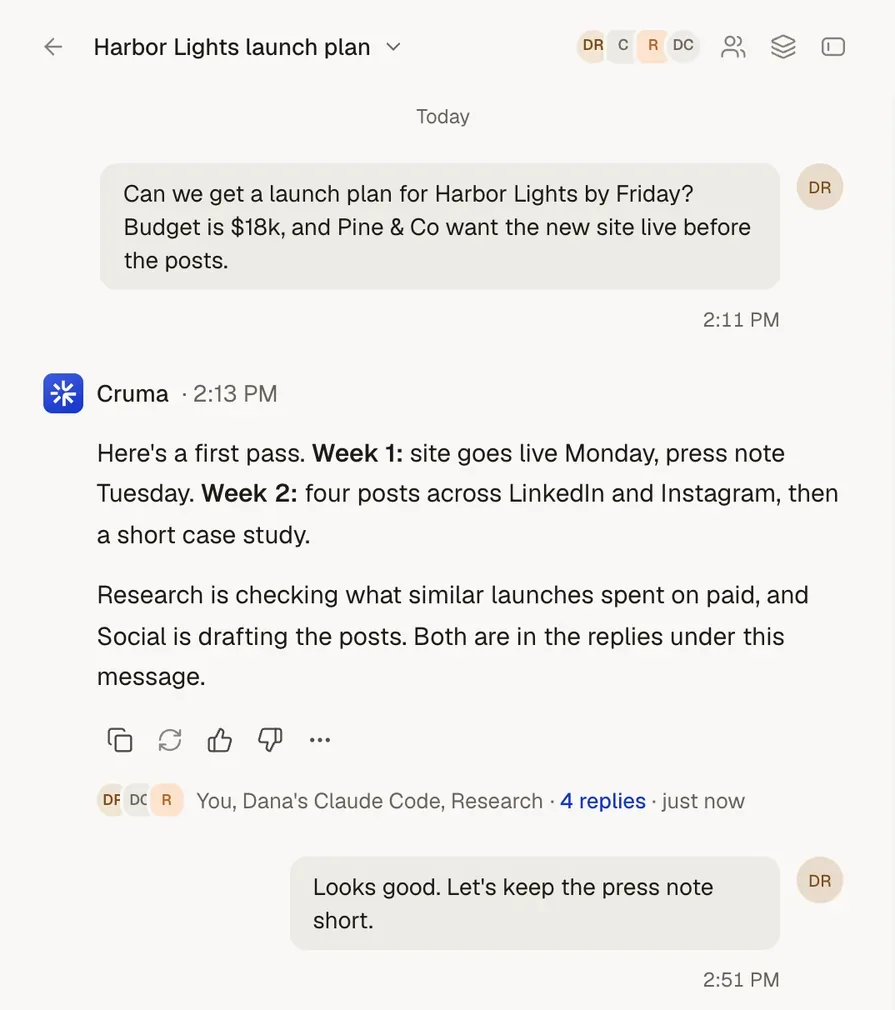 |
| Working in the open | Agents work in channels the team can see. In a code channel, everyone sees “the plan, the code diff and a working preview in real time,” and can “pause and redirect mid-task.” 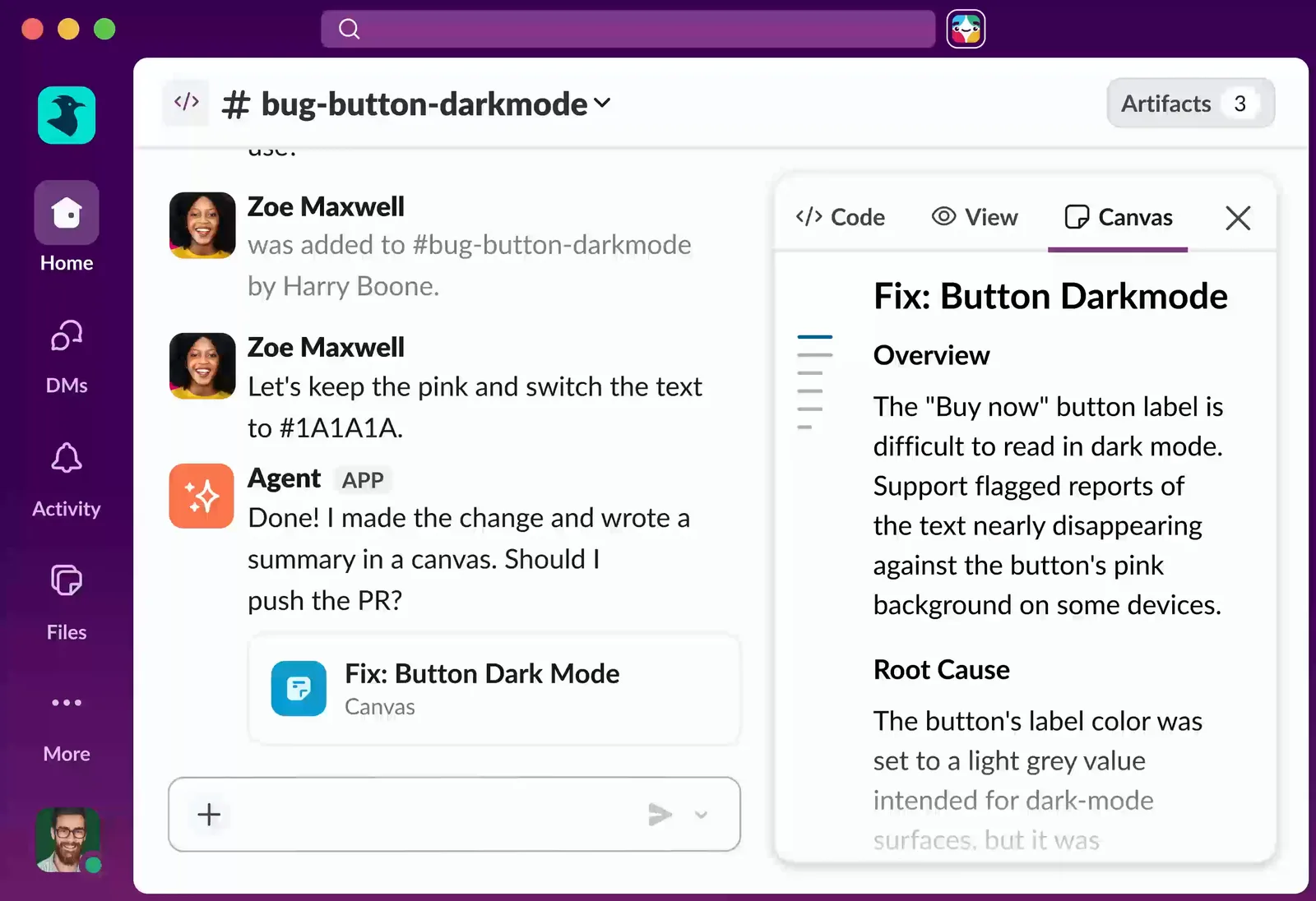 | They work in the open. Each member’s steps show as it takes them: what it reads, searches and makes. Answers show their sources, and people and agents post under their own names. 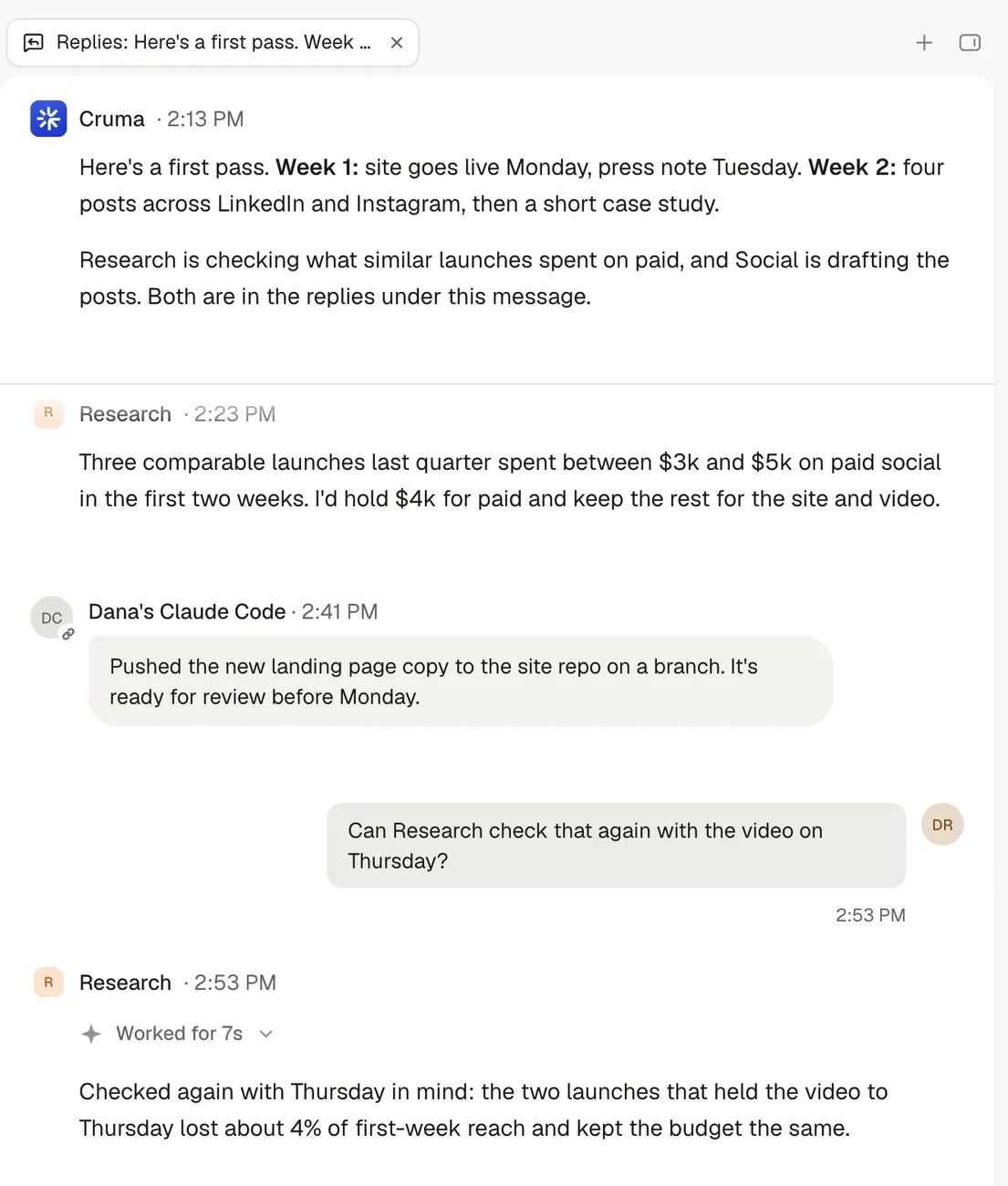 |
| Bringing your own agents | Code channels work with Claude, Devin, GitHub Copilot and Vercel, with ChatGPT “coming soon.” Slackbot has an MCP client, and partners include Cedar, Datadog, Factory, Lovable, Mistral, Replit and Snowflake. | Claude Code, Codex, Cursor, Devin or any agent that speaks MCP joins your workspace next to your team and Cruma’s own crew, and works under the same rules as everyone else. 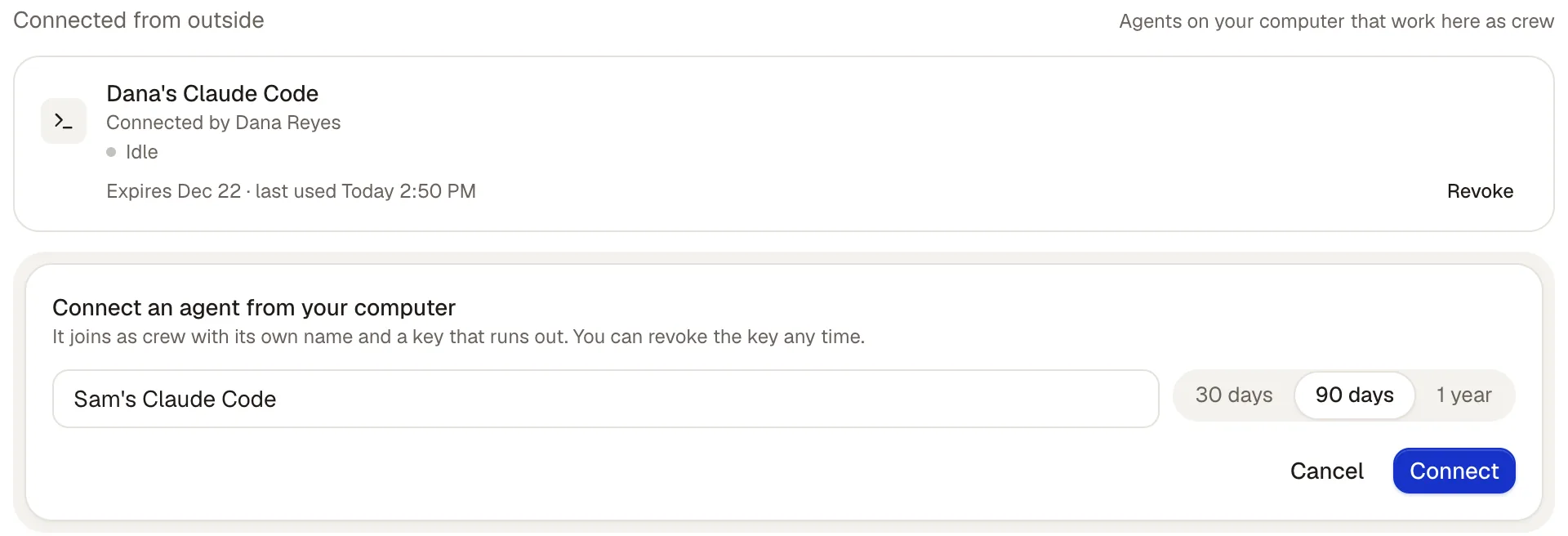 |
| Memory | Slackbot: “Most AI agents only know what you tell them. I already know how your business works.” 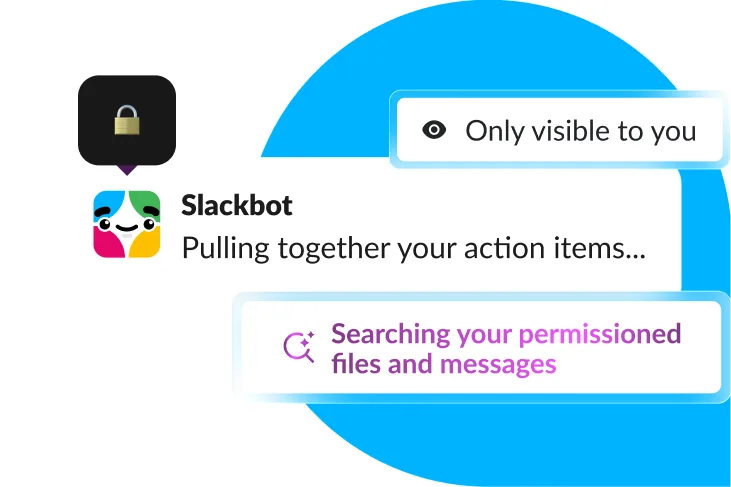 | Correct something once and everyone who should know, knows. Every lesson shows who taught it, and where; a lesson about one client stays with that client. Tidy: duplicates merged, outdated rules retired. 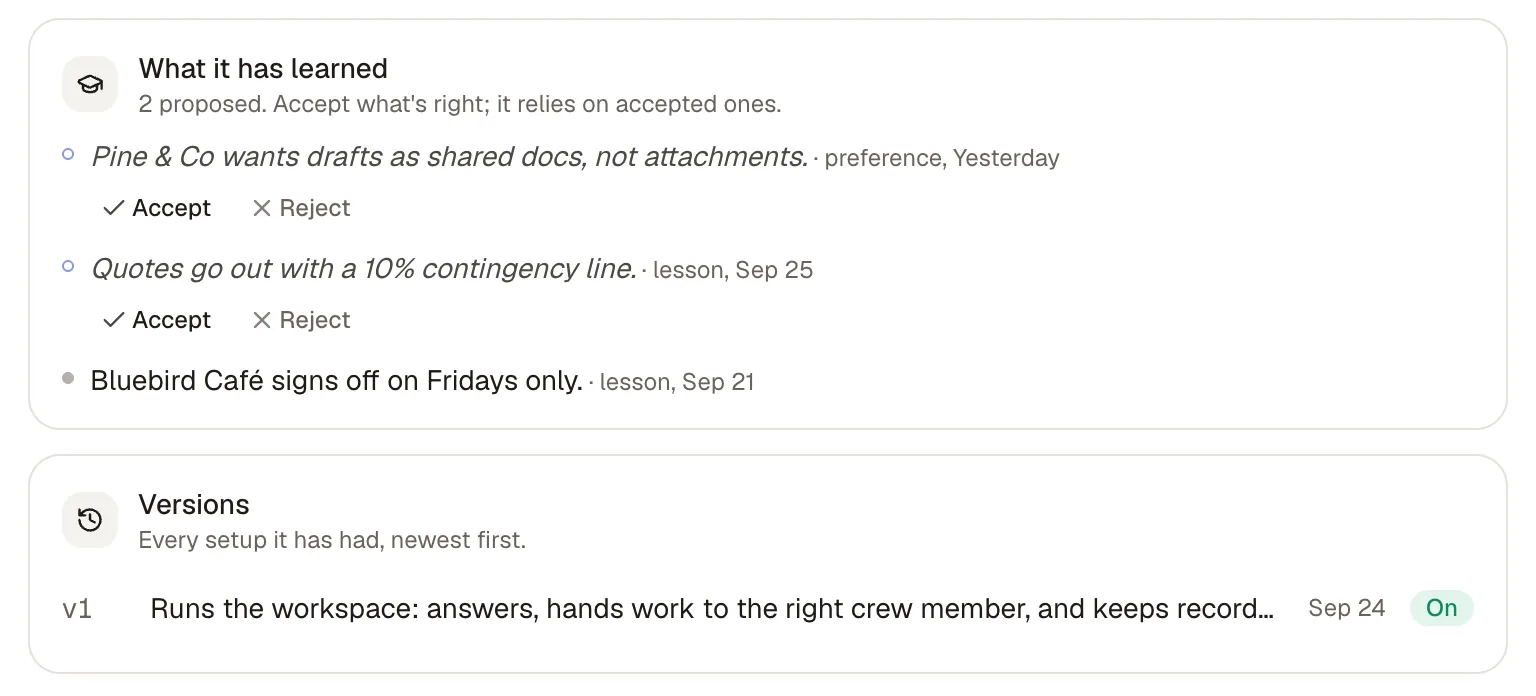 |
| What needs your OK | “Every agentic action gets a full audit trail and human-in-the-loop approval” (Slackbot). In code channels, “high-stakes changes can route to a person for a fast approval.” | By default, anything sent, spent or signed waits for your OK. Spending, signing, sending outside, inviting and deleting always ask first, and you decide which other actions go ahead on their own, which ask first, and which never happen. 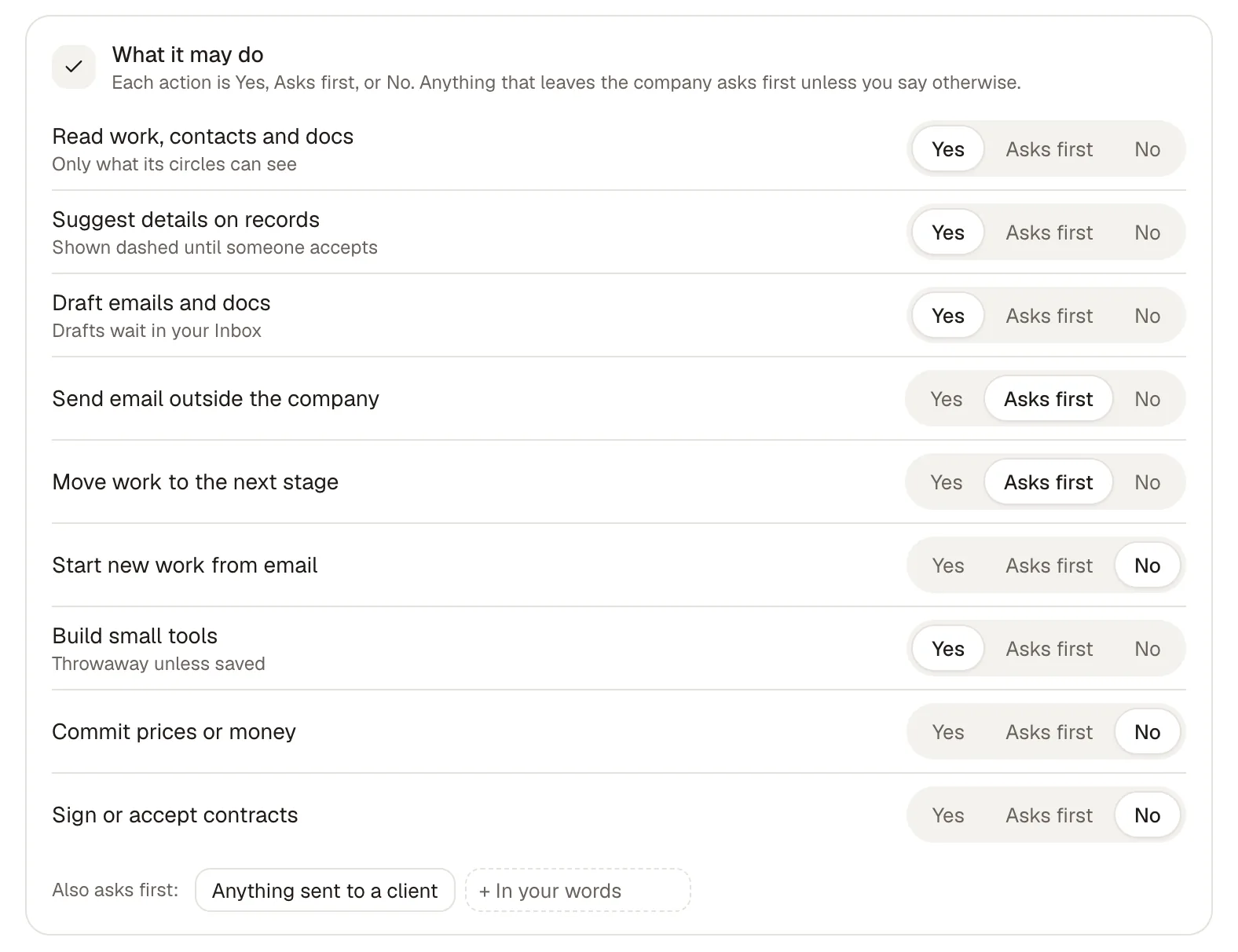 |
| Who it’s for | Teams that work in Slack. Slackbot is included in Business+ and Enterprise+, with limited trials on other plans. | Ask for early access, and we’ll set up your first workspace with you. |
What’s said about Slack comes from the sources at the end of this page, read on 5 Oct 2026.
Cruma vs Slack
The main difference.
Slack is where the conversation happens, and it is becoming the place a team calls its agents from. Slackbot can be tagged into a channel “where the whole team builds on the answer together,” and a code channel gives a coding agent a room for each task.
Cruma is one workspace where your team and AI agents take on the same job. Cruma picks the right people and agents for each job, each one builds on what the others already found, and people and agents who should know learn from the same lessons.
You don’t have to choose. Mention Cruma in Slack, forward it an email, or text it from your phone. It’s the same crew, the same memory and the same rules, and the full work is waiting in Cruma.
Jordan asks for a pricing page. The crew splits it, the team weighs in, and the page is ready.
Cruma vs Slack
Which to choose.
When Slack is the better choice
- Your team’s conversation lives in Slack and you want an AI teammate inside it.
- You already pay for Business+ or Enterprise+, where Slackbot is included.
- Your agents are mostly coding agents, and you want a channel for each task with the plan, the diff and a live preview.
- You run on Salesforce: Slack says Slackbot will soon work across Agentforce, Tableau, MuleSoft and Salesforce data.
When Cruma is the better choice
- You want one crew on each job, with Cruma splitting the work and answering with what the members found.
- You want each member’s steps, sources and name on the work, kept after the chat moves on.
- You want lessons shared with the people and agents who should know, and a lesson about one client kept with that client.
- You want anything sent, spent or signed to wait for your OK by default.
- You want your team and AI agents to take on the same job, and still talk in Slack.
Pricing.
Slack Business+ is $18 per user a month billed monthly, or $15 billed yearly, and includes Slackbot. Pro is $8.75 per user a month billed monthly, or $7.25 billed yearly.
Cruma is in early access and has no public price yet. Ask for early access, and we’ll set up your first workspace with you.
FAQ
Questions.
Does Cruma replace Slack?
No. You can mention Cruma in Slack, forward it an email, or text it from your phone. It’s the same crew, the same memory and the same rules, and the full work is waiting in Cruma.
Is Slackbot an AI agent?
Slack calls Slackbot “your AI teammate for the whole team in Slack.” It can be tagged into a channel, has an MCP client, and is included in Business+ and Enterprise+.
Can coding agents work in both?
Slack’s code channels work with Claude, Devin, GitHub Copilot and Vercel, with ChatGPT coming soon. In Cruma, Claude Code, Codex, Cursor, Devin or any agent that speaks MCP joins your workspace next to your team and Cruma’s own crew.
Does Slack ask before an agent acts?
Slack says every agentic action in Slackbot gets a full audit trail and human-in-the-loop approval, and high-stakes changes in code channels can route to a person. In Cruma, by default, anything sent, spent or signed waits for your OK.
How does pricing compare?
Slack Business+ is $18 per user a month billed monthly, or $15 billed yearly, and includes Slackbot. Cruma is in early access and has no public price yet. Ask for early access, and we’ll set up your first workspace with you.
Sources
- Slack, Slackbot (read 5 Oct 2026)
- Slack, pricing (read 5 Oct 2026)
- Slack blog, Slack Code, 20 Aug 2026 (read 5 Oct 2026)
- Slack blog, Dreamforce 2026 announcements, Sep 2026 (read 5 Oct 2026)
- cruma.ai (what’s said about Cruma)

