 vs

Cruma vs Notion
The short answer
Notion is a general workspace for docs, wikis and projects where your team sets up its own Custom Agents, each for a workflow, and picks the models and tools they use. Cruma is one workspace where your team and AI agents take on the same job: you ask in a chat, Cruma splits the work across the crew, everyone works where you can see it, and you always have the final say. Choose Notion if your work already lives there and you want to build agents for it. Choose Cruma if you want the right crew, working as one, on each job.
Facts checked 5 Oct 2026
Cruma vs Notion
At a glance.
How Notion Custom Agents and Cruma compare: how work is split, working in the open, your own agents, memory, what needs your OK, and who each is for.
| Topic | Notion Custom Agents | Cruma |
|---|---|---|
| How work is split | You set up each Custom Agent: “One person sets up a workflow: what data to pull, how to format it, where to post it,” then sets a trigger or schedule. Since Notion 3.7, “a Custom Agent can call other Custom Agents as sub-agents, each with its own instructions, context, access, and model.” 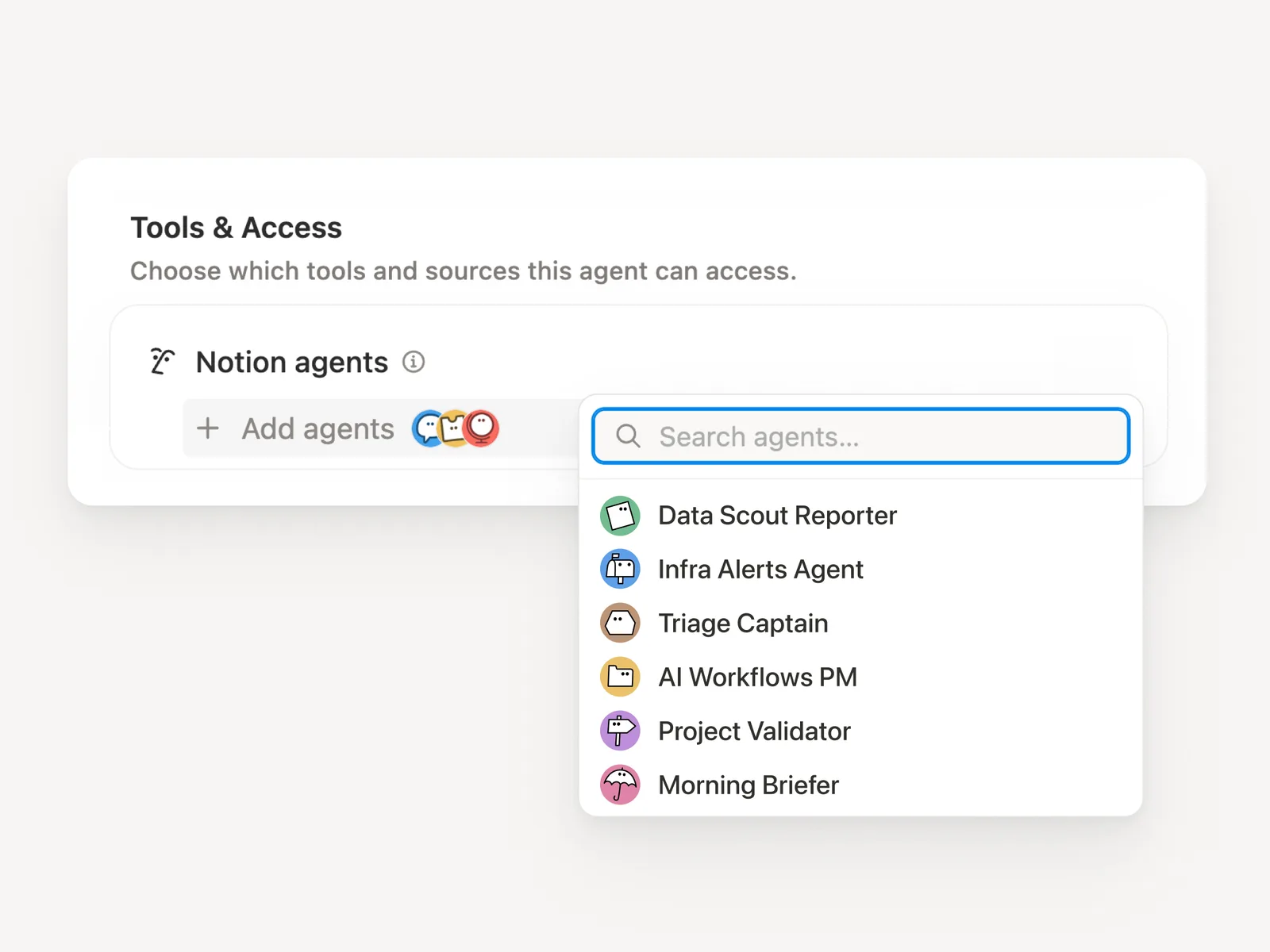 | You ask in a chat. Cruma splits the work across the crew: it picks the right people and agents for each job, and each one builds on what the others already found, so nothing gets explained twice. 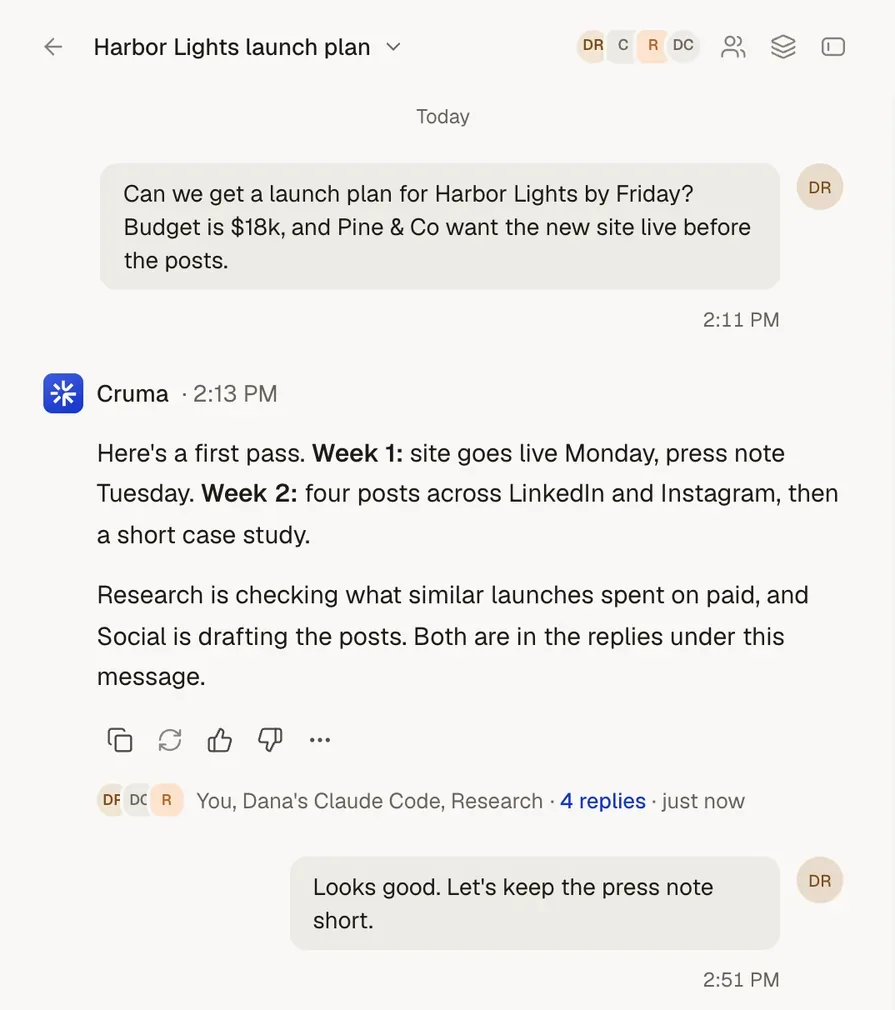 |
| Working in the open | “Every agent run is logged with full audit trails showing what triggered it, what it did, and why.” Workspace admins can monitor usage and disable agents. 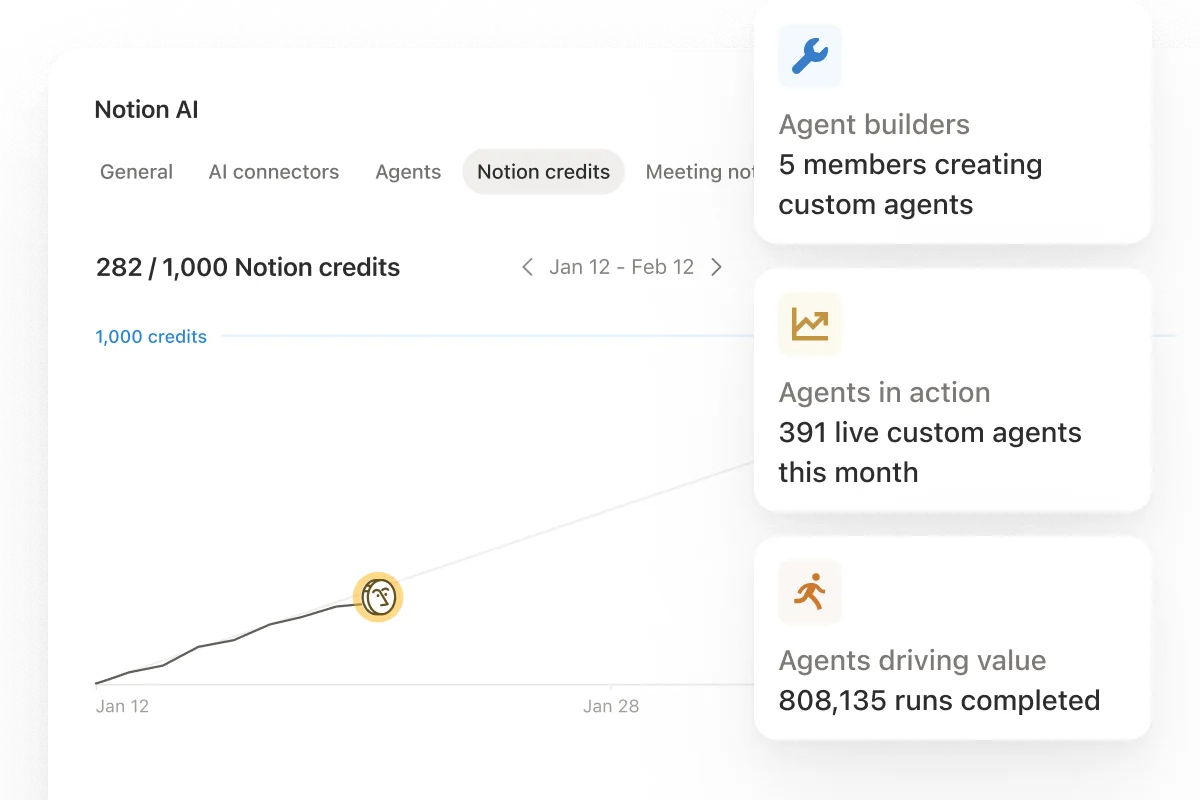 | They work in the open. Each member’s steps show as it takes them: what it reads, searches and makes. Answers show their sources, and people and agents post under their own names. 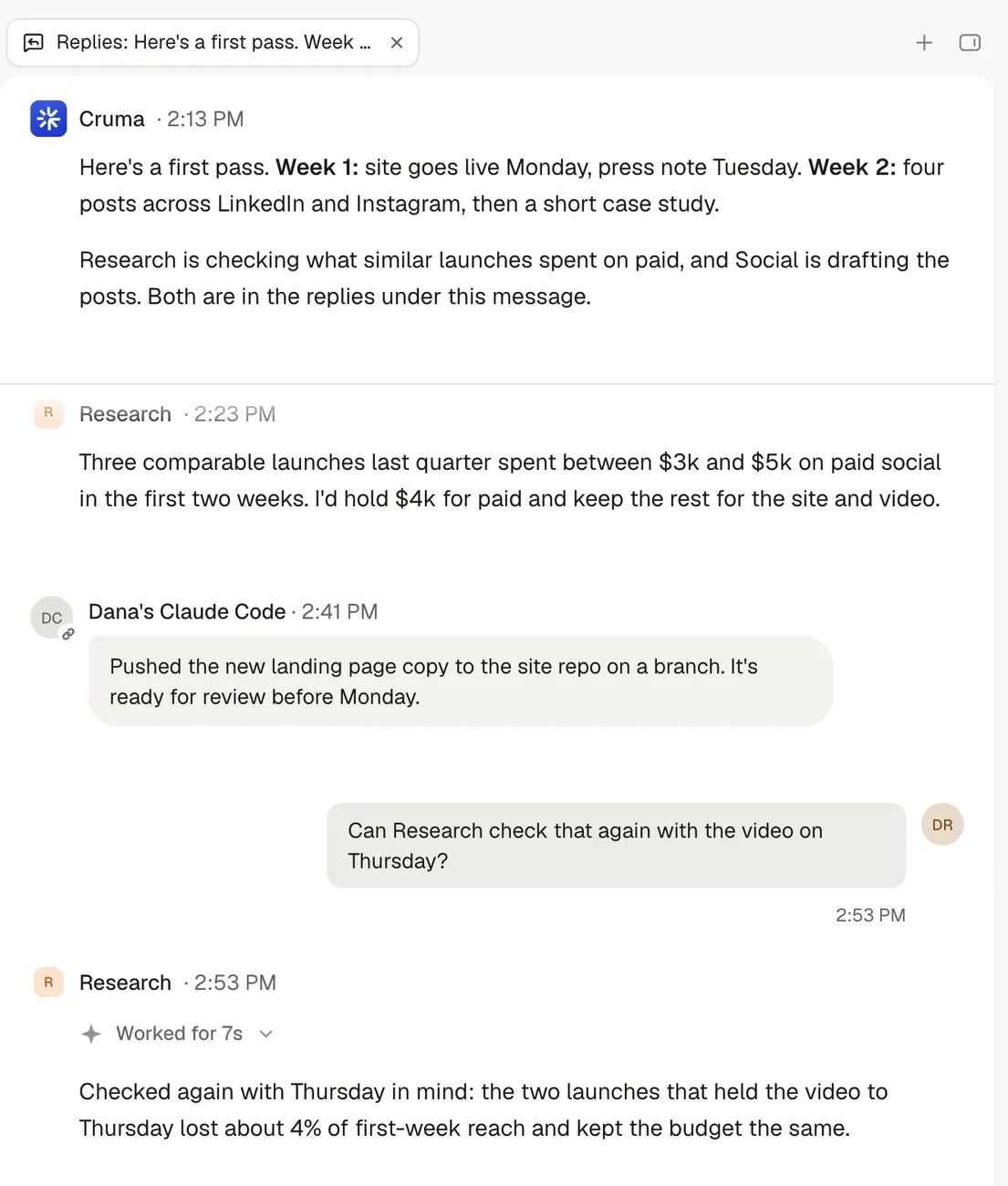 |
| Bringing your own agents | Skills can be downloaded to “Claude Code, Codex, Cursor, Gemini, or Grok” as SKILL.md files, so “your local agents can follow the same process.” Custom MCP connections, and an Agent SDK in public beta. 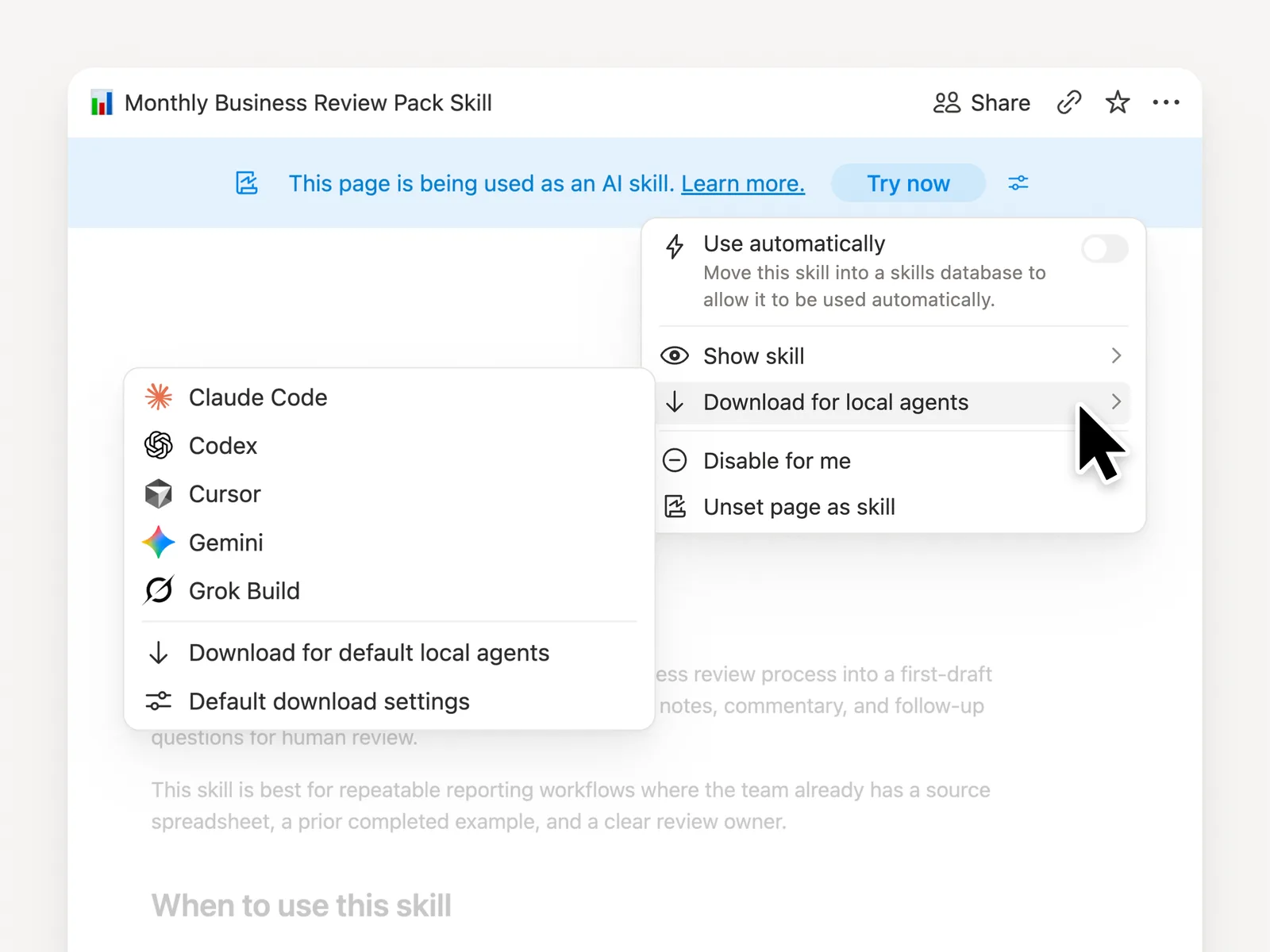 | Claude Code, Codex, Cursor, Devin or any agent that speaks MCP joins your workspace next to your team and Cruma’s own crew, and works under the same rules as everyone else. 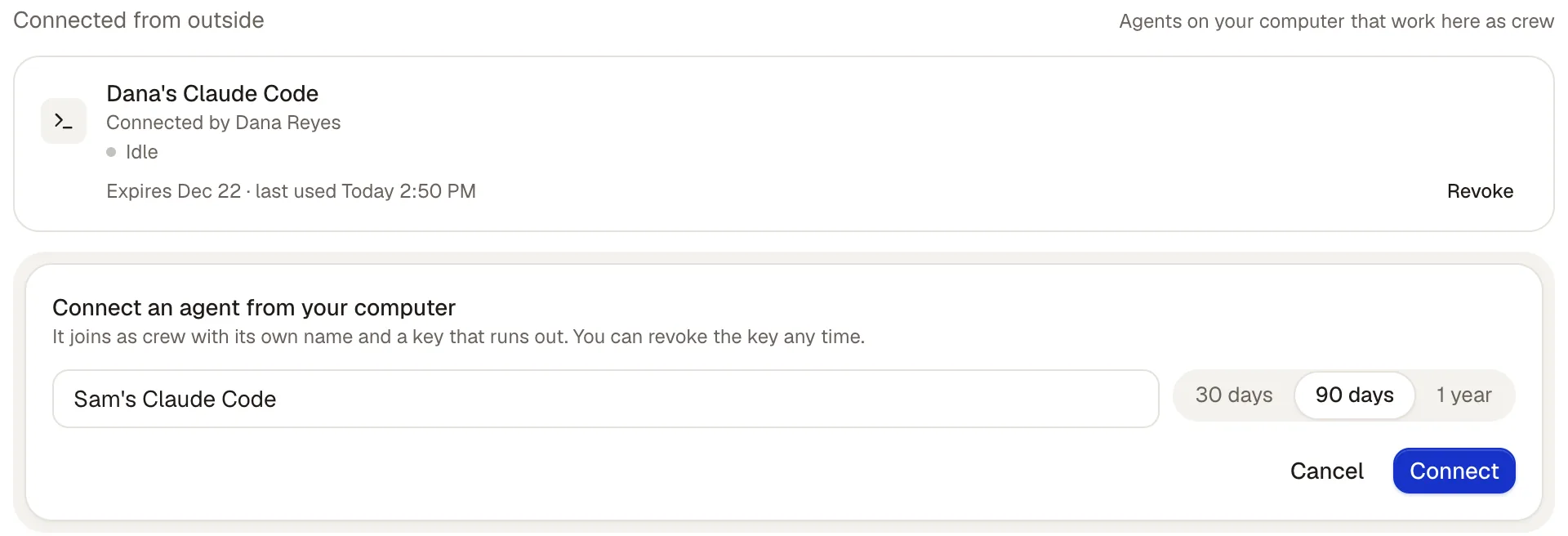 |
| Memory | Agents work from their instructions, skills and the pages and tools they can see. Notion asks teams to “bring everything into one system of record.” | Correct something once and everyone who should know, knows. Every lesson shows who taught it, and where; a lesson about one client stays with that client. Tidy: duplicates merged, outdated rules retired. 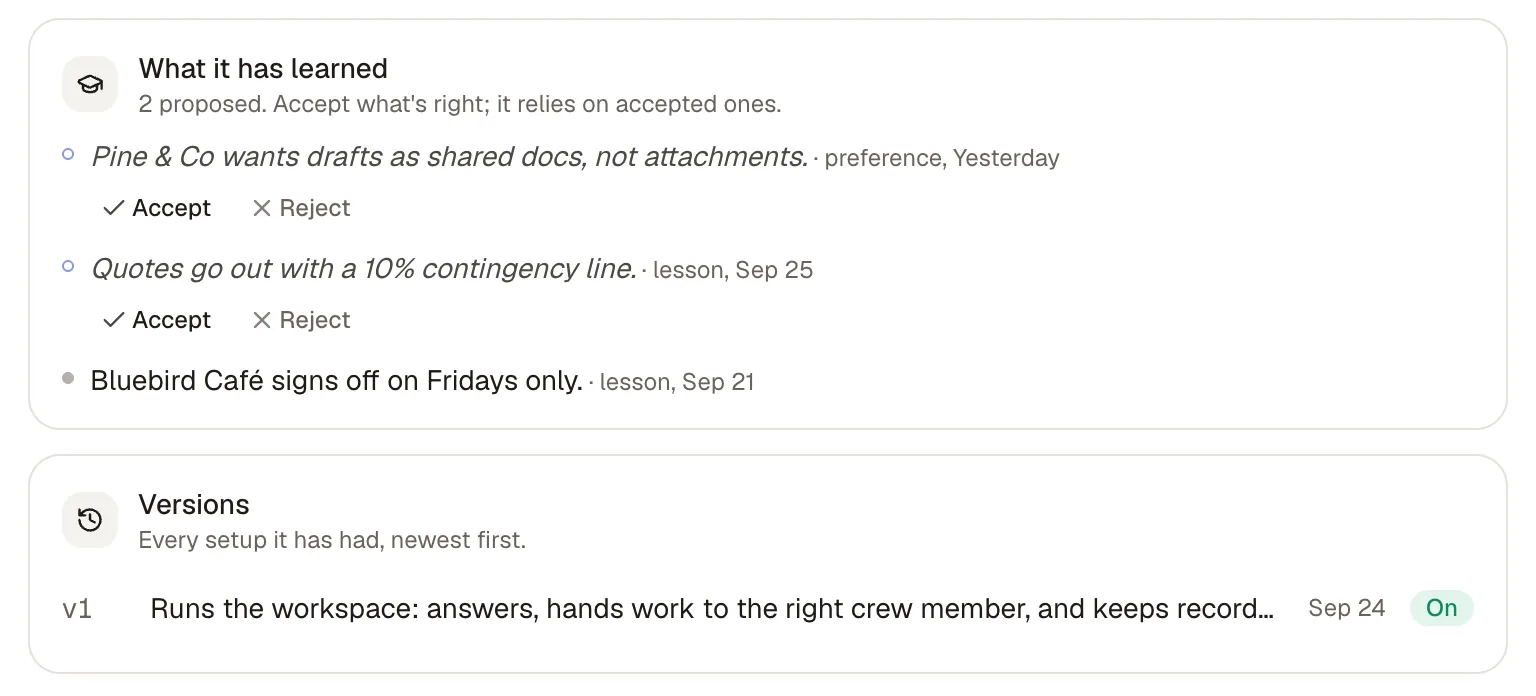 |
| What needs your OK | “Every agent run is logged, and all changes are reversible.” In beta on Business and Enterprise: “Confirmations keep you in control, so nothing changes in a connected tool until you approve it.” | By default, anything sent, spent or signed waits for your OK. Spending, signing, sending outside, inviting and deleting always ask first, and you decide which other actions go ahead on their own, which ask first, and which never happen. 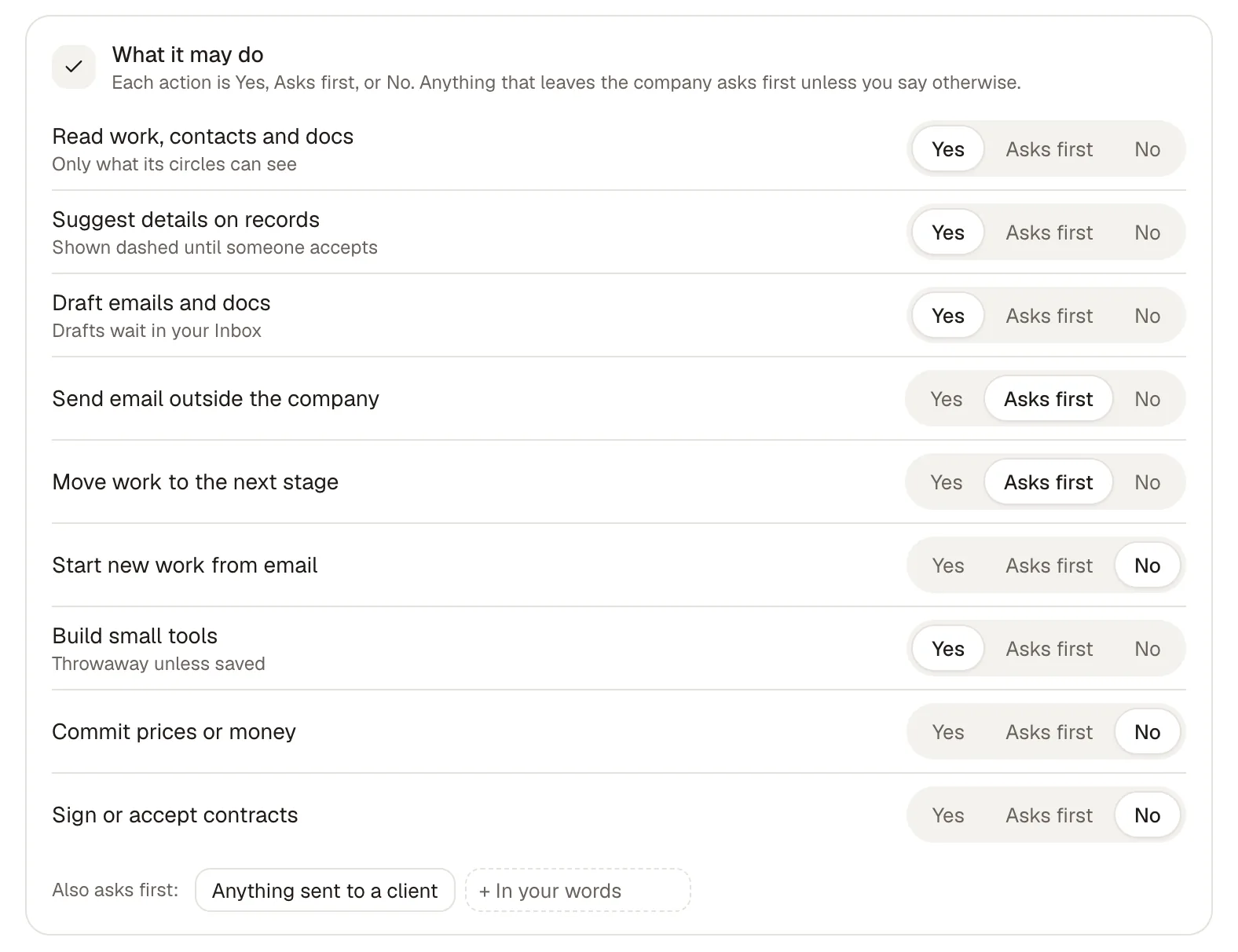 |
| Who it’s for | Any team that works in Notion. Custom Agents run on Notion credits, which are “only available on Business and Enterprise plans.” | Ask for early access, and we’ll set up your first workspace with you. |
What’s said about Notion comes from the sources at the end of this page, read on 5 Oct 2026.
Cruma vs Notion
The main difference.
Notion describes itself as the place “where teams and agents think together.” Its agents are ones your team builds: you describe a workflow in plain language, Notion AI builds the agent, and it runs on a trigger or a schedule. Notion 3.7 (15 Sep 2026) added a model picker that includes “Opus 5, GPT-5.6 Sol, and Kimi K3,” Custom MCP connections, an Agent SDK in public beta, and a skills library your local agents can follow.
In Cruma you ask in a chat, and Cruma picks the right people and agents for the job. Each member’s steps show as it takes them, people and agents post under their own names, and Cruma says who it worked with. Agents you already use, like Claude Code or Codex, join your workspace next to your team and Cruma’s own crew.
Both keep a record of what agents did. In Notion every run is logged and every change can be undone, and confirmations for connected tools are in beta. In Cruma, by default, anything sent, spent or signed waits for your OK before it happens.
Jordan asks for a pricing page. The crew splits it, the team weighs in, and the page is ready.
Cruma vs Notion
Which to choose.
When Notion is the better choice
- Your team already keeps its docs, wikis and projects in Notion and wants agents where that work is.
- You want to build an agent for each workflow, running on a trigger or a schedule.
- You want to choose the model for each agent from a picker that includes Opus 5, GPT-5.6 Sol and Kimi K3.
- You have people who will use the Agent SDK or Custom MCP connections to wire agents into your own tools.
- You want one tool for docs, wikis and agents for a team of any size.
When Cruma is the better choice
- You want your team and AI agents to take on the same job.
- You’d rather ask once in a chat and have Cruma split the work across the crew than set up an agent for each workflow.
- You want to see each member’s steps as it takes them, with sources, and who did what.
- You want anything sent, spent or signed to wait for your OK by default.
- You want Claude Code, Codex, Cursor or Devin to join as crew, under the same rules as everyone else.
Pricing.
Notion’s Business plan is $20 per member a month billed yearly, or $24 billed monthly. Custom Agents are “free to try, then $10 per 1,000 monthly Notion credits,” on Business and Enterprise.
Cruma is in early access and has no public price yet. Ask for early access, and we’ll set up your first workspace with you.
FAQ
Questions.
Is Cruma a Notion alternative?
It can be. Notion is a general workspace where your team sets up its own Custom Agents. Cruma is one workspace where your team and AI agents take on the same job, with Cruma splitting the work across the crew. If your docs and wiki live in Notion and you want to build agents there, Notion is the better fit.
Can Notion’s agents work together?
Yes. Since Notion 3.7 (15 Sep 2026), a Custom Agent can call other Custom Agents as sub-agents, each with its own instructions, context, access and model. In Cruma, Cruma picks the right people and agents for each job, and each one builds on what the others already found.
Does Notion ask before its agents act?
Notion logs every agent run and makes changes reversible. Confirmations, so nothing changes in a connected tool until you approve it, are in beta on Business and Enterprise. In Cruma, by default, anything sent, spent or signed waits for your OK.
Do Claude Code and Codex work with both?
Notion lets you download its skills to Claude Code, Codex, Cursor, Gemini or Grok as SKILL.md files. In Cruma, Claude Code, Codex, Cursor, Devin or any agent that speaks MCP joins your workspace as crew and works under the same rules as everyone else.
How does pricing compare?
Notion’s Business plan is $20 per member a month billed yearly ($24 monthly), and Custom Agents are free to try, then $10 per 1,000 Notion credits. Cruma is in early access and has no public price yet. Ask for early access, and we’ll set up your first workspace with you.
Sources
- Notion, “Meet your 24/7 AI team” (agents page) (read 5 Oct 2026)
- Notion 3.7 release notes, 15 Sep 2026 (read 5 Oct 2026)
- Notion, home page (read 5 Oct 2026)
- Notion, pricing (read 5 Oct 2026)
- Notion Help Center, Notion credits (read 5 Oct 2026)
- Notion blog, “Introducing Custom Agents,” 24 Feb 2026 (read 5 Oct 2026)
- cruma.ai (what’s said about Cruma)

