 vs Gumloop
Cruma vs Gumloop
The short answer
Gumloop is “the multiplayer AI agent builder”: anyone at a company can build agents with any AI model and any integration, while IT controls access. Cruma is one workspace where your team and AI agents take on the same job: you ask in a chat, Cruma splits the work across the crew, everyone works where you can see it, and you always have the final say. Choose Gumloop if you want your people to build agents of their own. Choose Cruma if you’d rather ask once in a chat and have a crew take the job on together.
Facts checked 5 Oct 2026
Cruma vs Gumloop
At a glance.
How Gumloop and Cruma compare: how work is split, working in the open, your own agents, memory, what needs your OK, and who each is for.
| Topic | Gumloop | Cruma |
|---|---|---|
| How work is split | Each person builds the agents they need: “Anyone at a company can build agents with any AI model and any integration.” Agents run on triggers you describe in plain English. 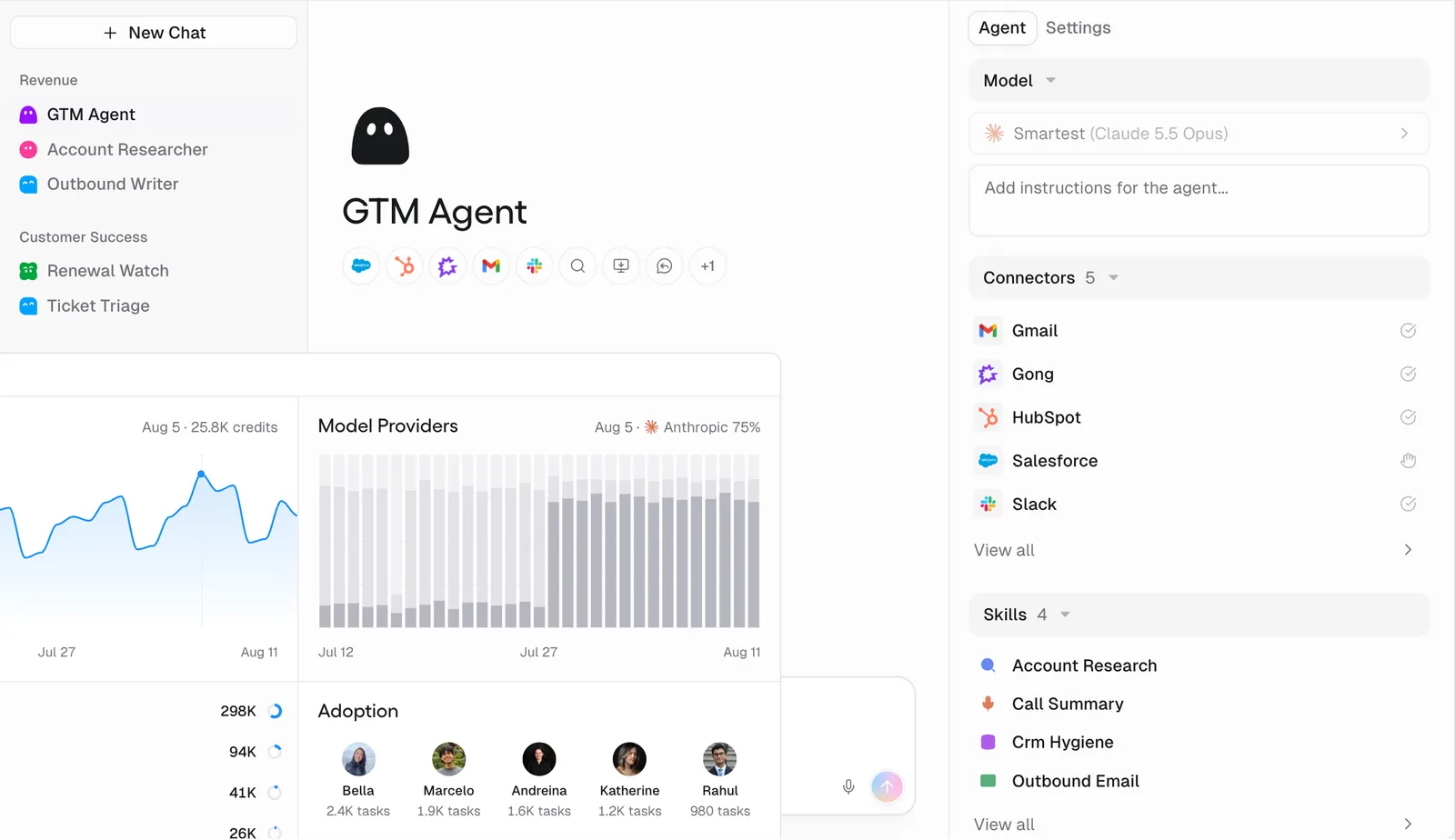 | You ask in a chat. Cruma splits the work across the crew: it picks the right people and agents for each job, and each one builds on what the others already found, so nothing gets explained twice. 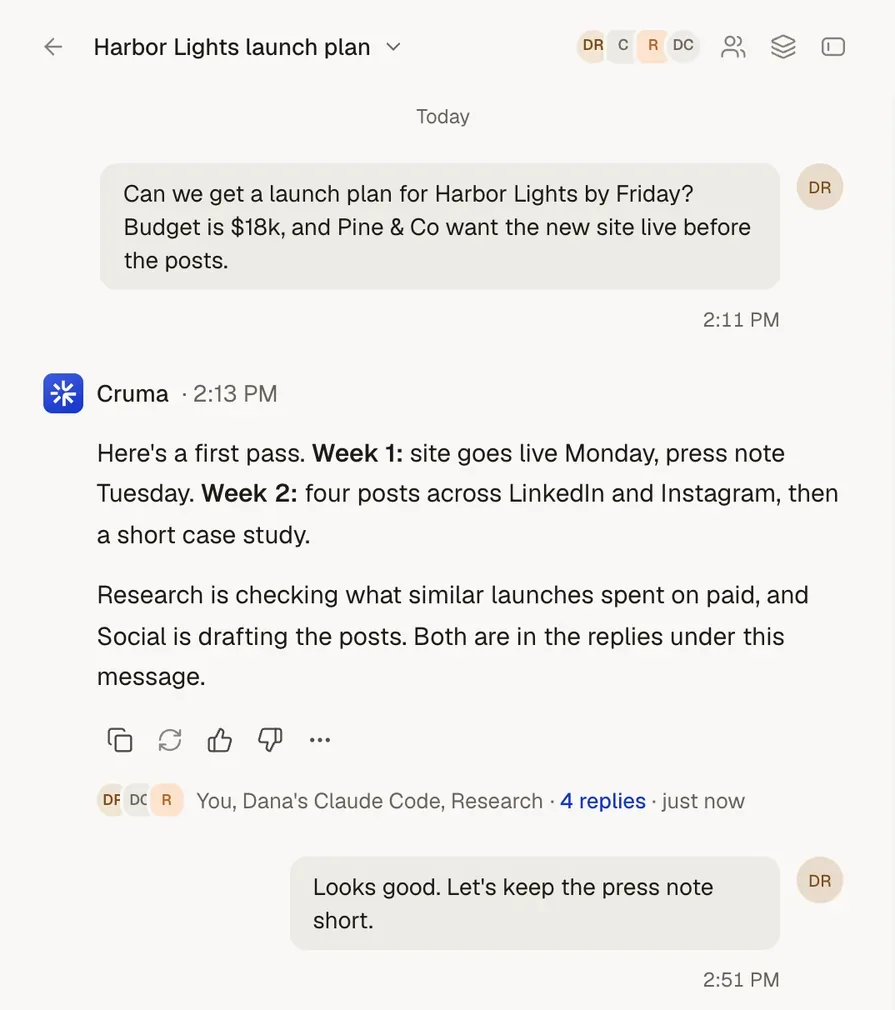 |
| Working in the open | On a team, “collaborators on the same team can see each other’s agents, share credentials, and track shared usage.” Audit logs come with Enterprise. 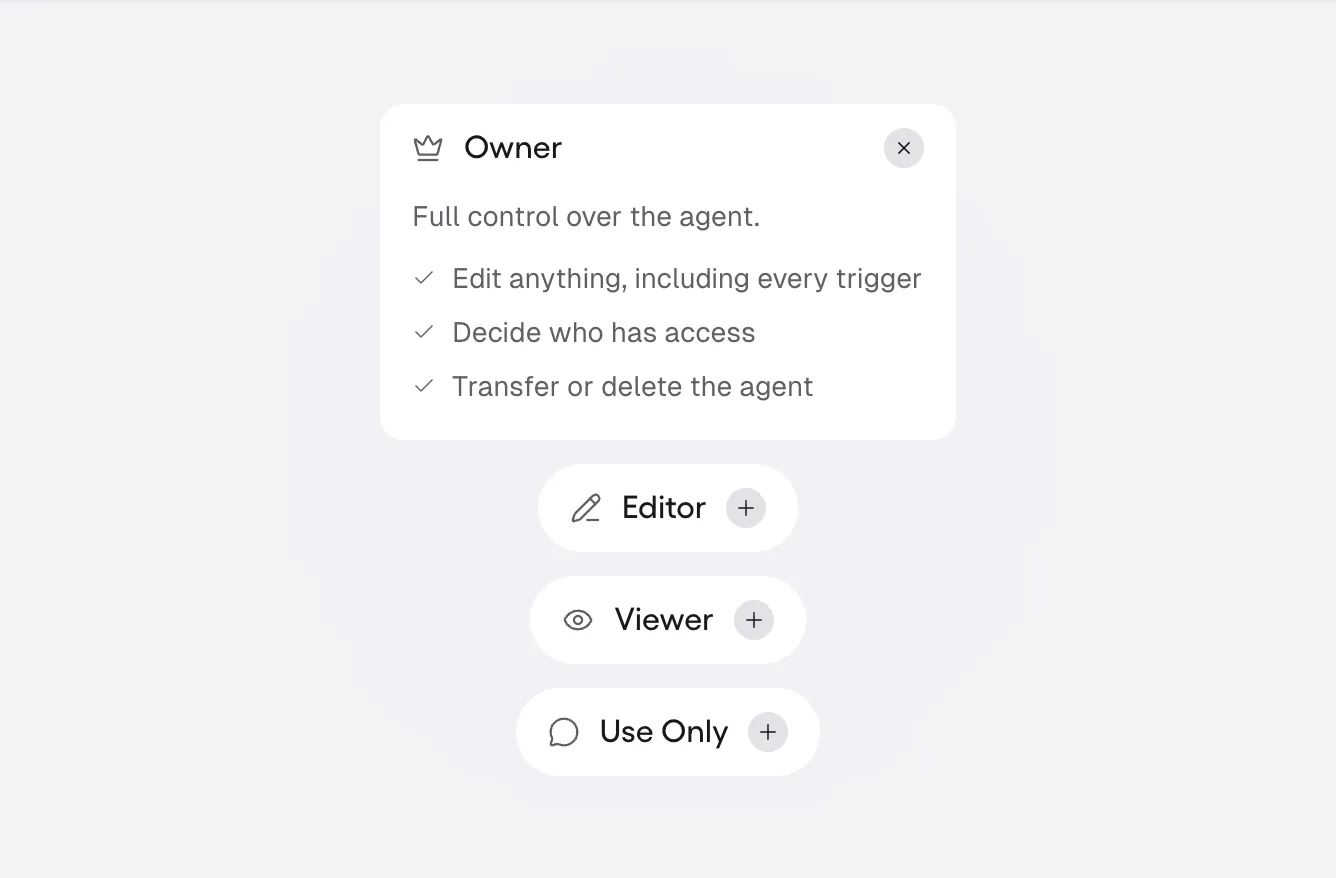 | They work in the open. Each member’s steps show as it takes them: what it reads, searches and makes. Answers show their sources, and people and agents post under their own names. 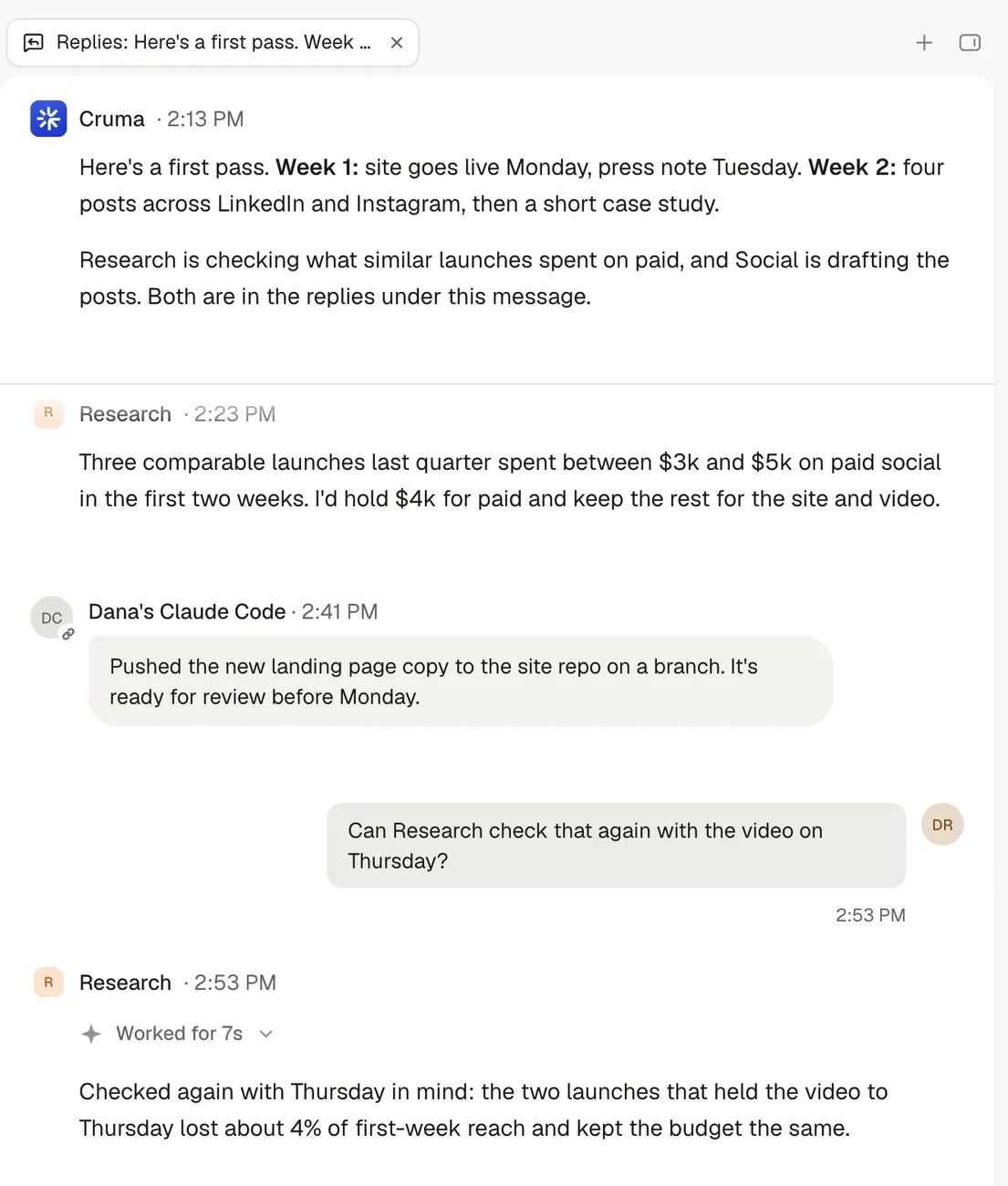 |
| Bringing your own agents | Gumloop is an MCP client with more than 100 MCP integrations, and offers its own MCP server and CLI. | Claude Code, Codex, Cursor, Devin or any agent that speaks MCP joins your workspace next to your team and Cruma’s own crew, and works under the same rules as everyone else. 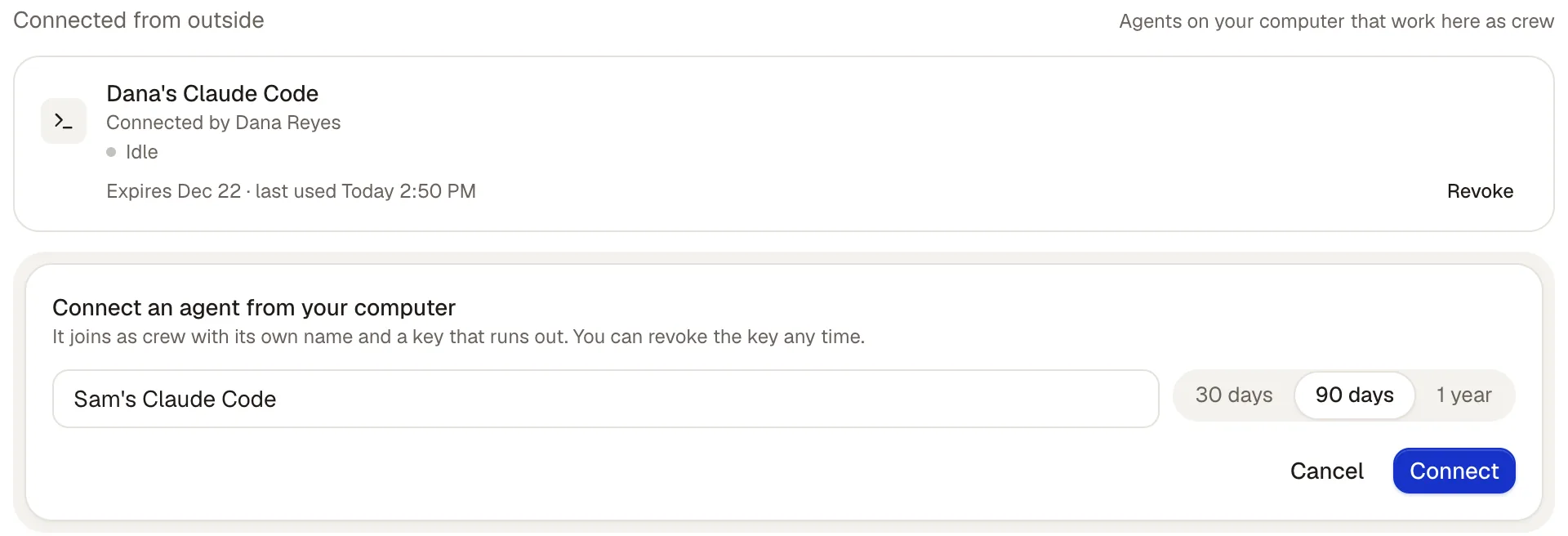 |
| Memory | Agents write, refine and share skills, “reusable playbooks,” and can search company data through Company Brain. | Correct something once and everyone who should know, knows. Every lesson shows who taught it, and where; a lesson about one client stays with that client. Tidy: duplicates merged, outdated rules retired. 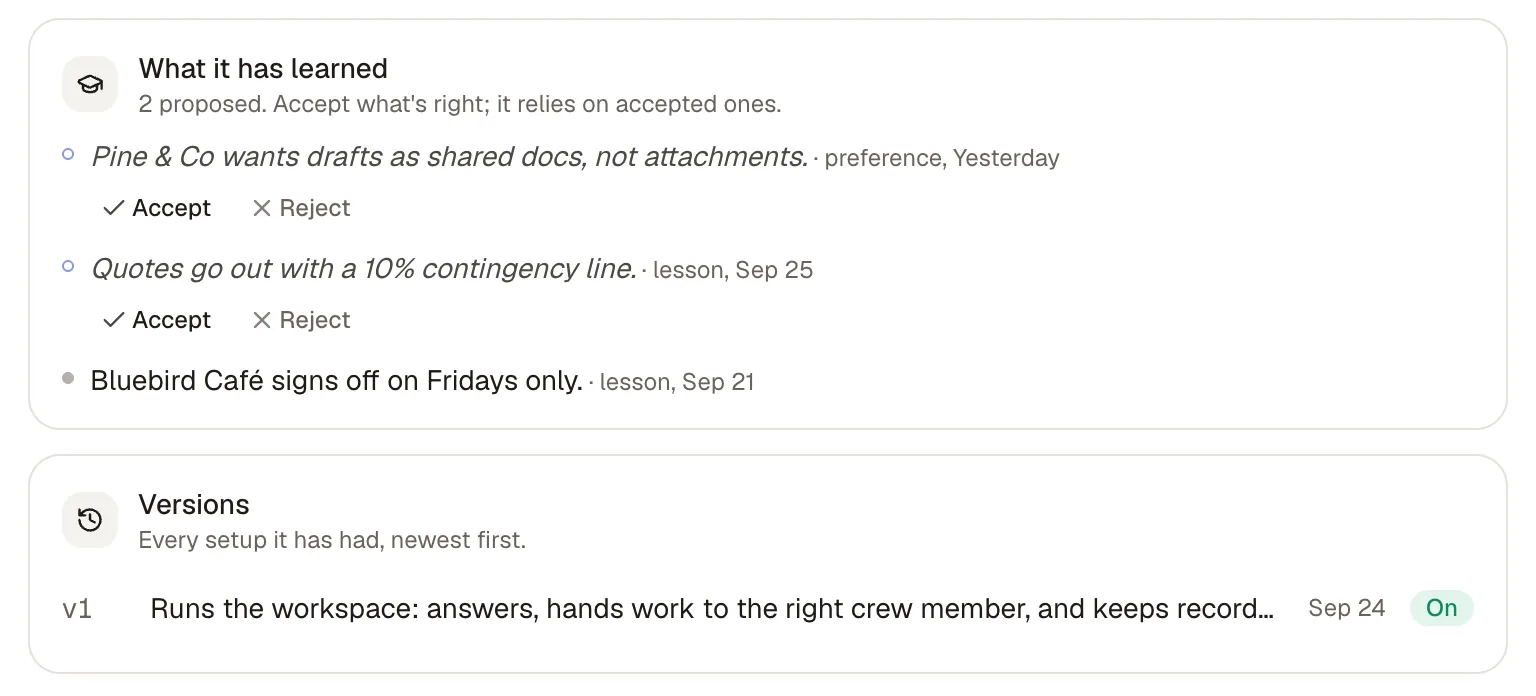 |
| What needs your OK | Human in the Loop lets the builder choose, per app or tool, whether an agent asks first. “Always allow” is the default; Gumloop suggests “Ask for writes/deletes” for most apps. 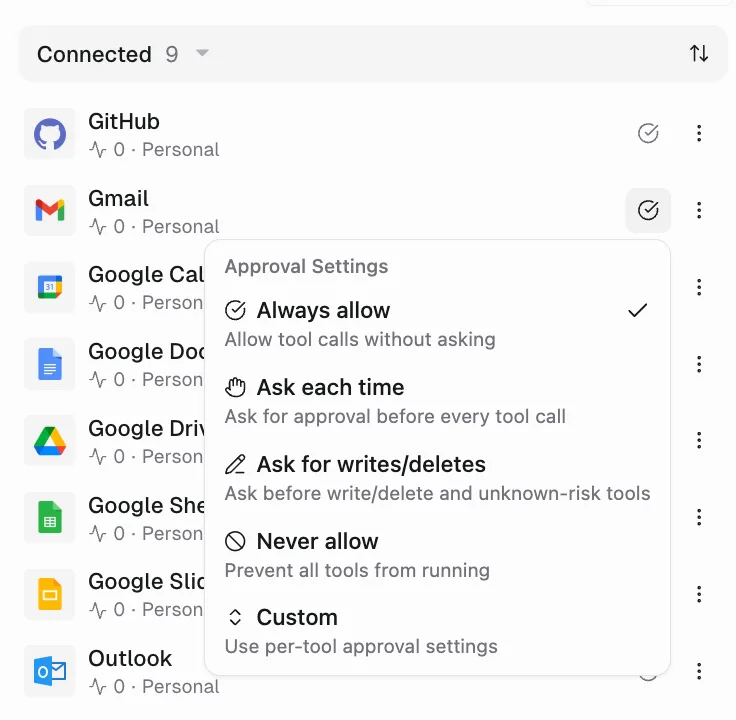 | By default, anything sent, spent or signed waits for your OK. Spending, signing, sending outside, inviting and deleting always ask first, and you decide which other actions go ahead on their own, which ask first, and which never happen. 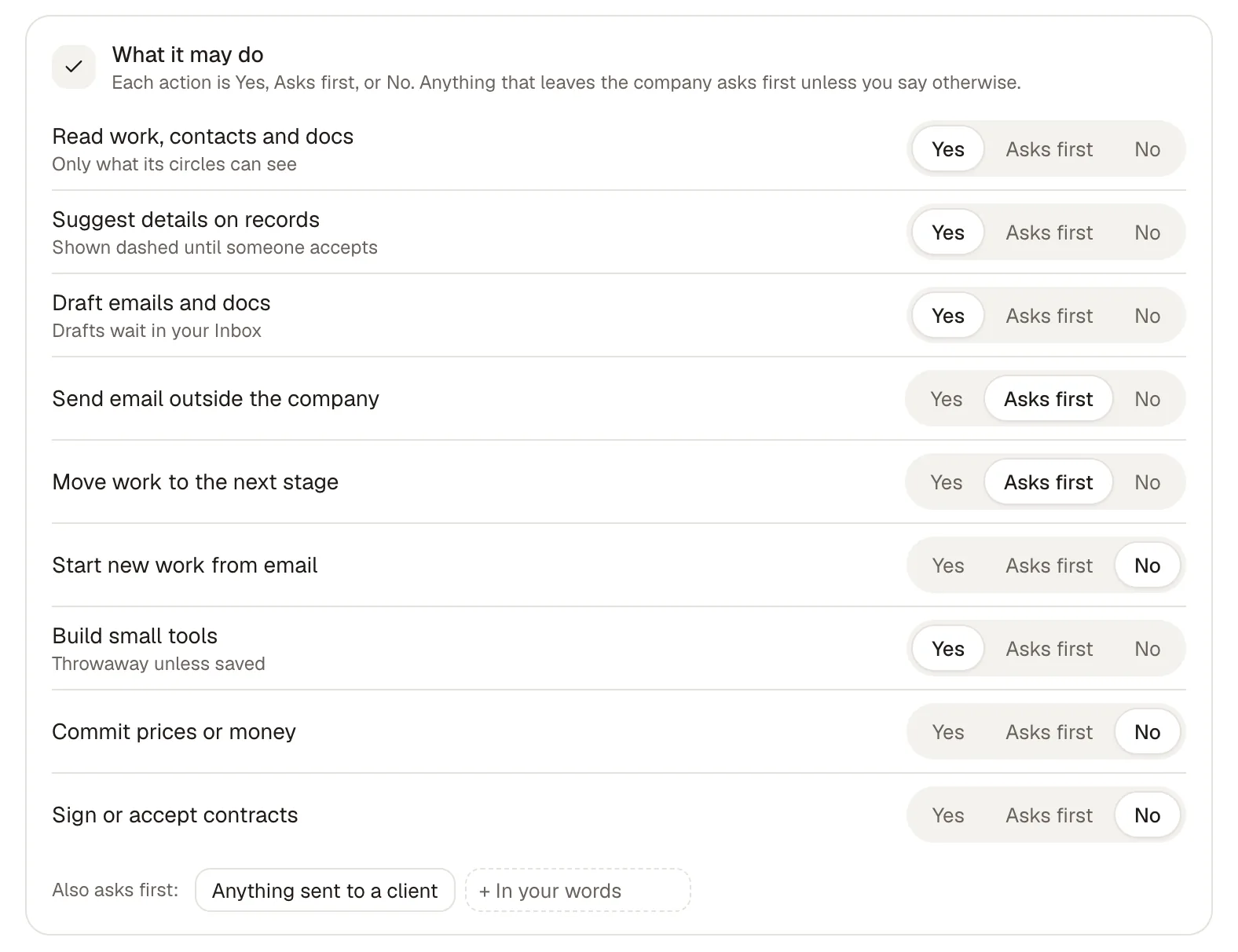 |
| Who it’s for | Companies where every employee builds agents, “while IT controls access.” Enterprise adds role-based access, governance policies and audit logs. | Ask for early access, and we’ll set up your first workspace with you. |
What’s said about Gumloop comes from the sources at the end of this page, read on 5 Oct 2026.
Cruma vs Gumloop
The main difference.
Gumloop gives everyone in a company a way to build agents. Each agent is set up by someone for a task, connected to the apps it needs, and governed by IT.
In Cruma you ask in a chat, and Cruma picks the right people and agents for the job. Each one builds on what the others already found, so nothing gets explained twice, and Cruma says who it worked with.
In Gumloop, whether an agent asks before it acts is set by whoever builds it, and the default is to allow. In Cruma, by default, anything sent, spent or signed waits for your OK.
Jordan asks for a pricing page. The crew splits it, the team weighs in, and the page is ready.
Cruma vs Gumloop
Which to choose.
When Gumloop is the better choice
- You want everyone in the company to build agents for their own tasks.
- You have an IT team that wants to govern who builds what, with role-based access and audit logs.
- You want to pick from more than 35 models, or bring your own API keys.
- You want to start today on a plan with a public price and a free trial.
When Cruma is the better choice
- You’d rather ask once in a chat than build agents: Cruma splits the work across the crew.
- You want people and agents on the same job, with each member’s steps and sources in the open.
- You want anything sent, spent or signed to wait for your OK by default, not set agent by agent.
- You want Claude Code, Codex, Cursor or Devin to join as crew next to your team.
- You want your team and AI agents to take on the same job.
Pricing.
Gumloop Pro starts at $37 a month with 20,000 credits, unlimited seats and a 14-day free trial; credits beyond that are $0.005 each, plus an 8% orchestration fee. Enterprise is custom.
Cruma is in early access and has no public price yet. Ask for early access, and we’ll set up your first workspace with you.
FAQ
Questions.
What is Gumloop?
An AI agent builder. Gumloop calls itself “the multiplayer AI agent builder”: anyone at a company can build agents with any AI model and any integration, while IT controls access.
Do Gumloop agents ask before they act?
If their builder sets them to. Human in the Loop can require approval per app or tool; “Always allow” is the default. In Cruma, by default, anything sent, spent or signed waits for your OK.
Do I need to build agents to use Cruma?
No. You ask in a chat, and Cruma splits the work across the crew. You can hire a crew member in a sentence: say what you need, and teach it as it goes.
How does pricing compare?
Gumloop Pro starts at $37 a month with 20,000 credits and unlimited seats, with a 14-day free trial. Cruma is in early access and has no public price yet. Ask for early access, and we’ll set up your first workspace with you.
Sources
- Gumloop, home page (read 5 Oct 2026)
- Gumloop, pricing and pricing FAQ (read 5 Oct 2026)
- Gumloop docs, Human in the Loop (read 5 Oct 2026)
- cruma.ai (what’s said about Cruma)


